
Optimizing Trade Experience

The Merrill Edge app enables users to manage investments, trade stocks, ETFs, mutual funds, and options, and seamlessly access linked Bank of America accounts in one place.

Partnering with stakeholders and business owners, our team focused on increasing adoption of the trading experience. Recent research revealed low engagement among users, prompting us to investigate key barriers preventing broader usage.

Overview

To improve the trading experience within the Merrill Edge app, stakeholders, UX designers, and developers collaborated in a workshop to reimagine the end-to-end trade flow.

Participants ranged from experienced traders to first-time investors, helping us identify shared motivations and friction points. From this, we defined three core segments: Novice, Intermediate, and Advanced traders—each requiring different levels of guidance and control.

My focus centered on the Novice persona, “Andy,” designing an experience that builds clarity, trust, and confidence for first-time traders.

My Role

  1. Iterative Design & Alignment
    Participated in daily working sessions led by the UX Lead to align on direction, priorities, and next steps. Iteratively refined design solutions based on team feedback and evolving requirements.

    Partnered closely with the Copy Strategist to ensure messaging aligned with business objectives, financial terminology standards, and clarity for users.

  2. Cross-Functional Collaboration
    Presented progress at the end of each week to business owners and stakeholders, gathering feedback to inform refinements and define priorities for the following sprint. Ensured design decisions balanced user needs with business goals.

First-Time Trade Flow: Andy

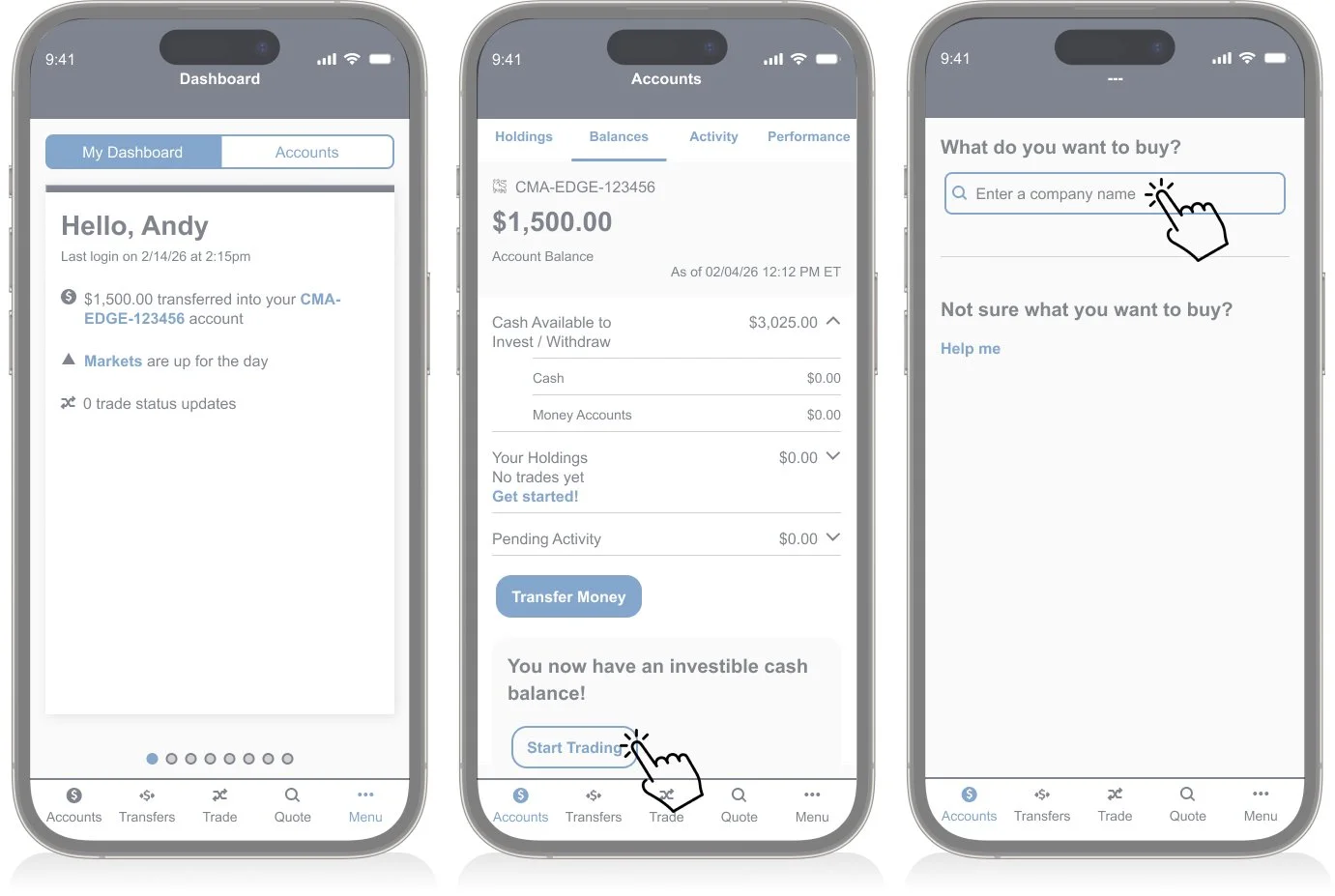
Andy is excited to place his first trade after a friend recommends investing in ADP. He recently earned extra income selling vintage items on eBay and transferred those funds into his trading account.

Before moving forward, Andy checks his account balance to confirm the funds are available. Although motivated, he feels a level of hesitation—he wants reassurance that he understands what he’s doing before committing his money.

This moment represents a critical UX opportunity:

  • Build trust at a high-stakes decision point

  • Reduce anxiety through clarity and guidance

  • Reinforce confidence before execution

Designing for Andy means understanding that a first trade is both exciting and intimidating. The experience should balance momentum with education—guiding action without overwhelming the user.
— Tim C

User flow


Task 1 - Just-In-Time Guidance

Challenge

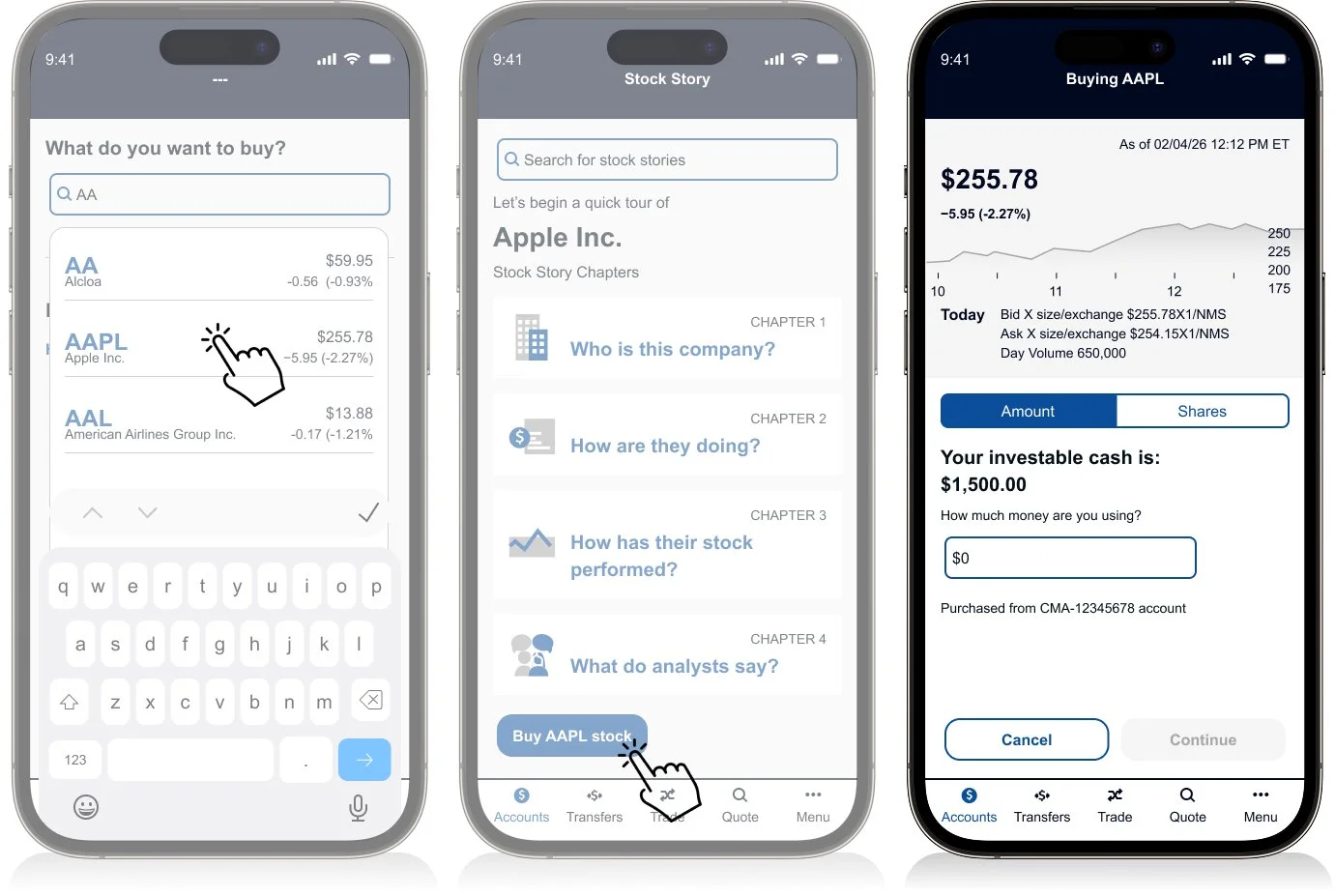
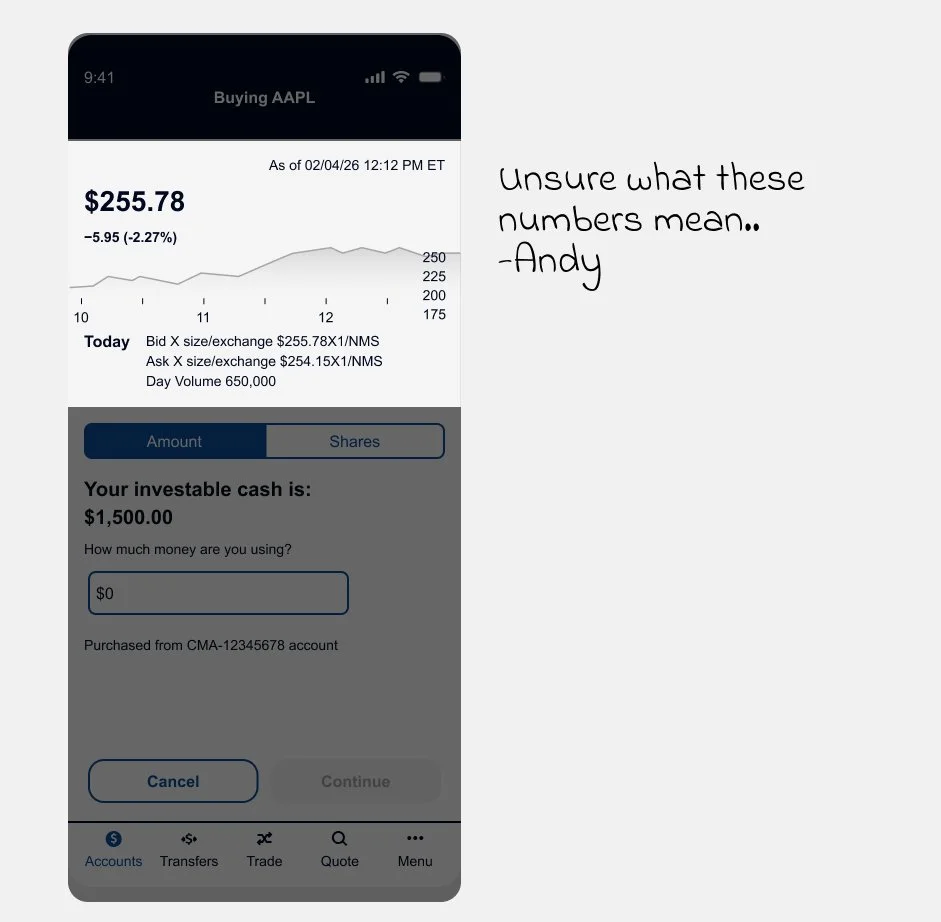
Andy selects ADP and enters his purchase amount. He notices unfamiliar numbers beneath the stock price ($102.25) and the label “Bid × size/exchange,” which immediately creates uncertainty.

At this critical moment, unclear terminology shifts him from confident to hesitant.

How might we clarify complex trading data in a way that reassures first-time users—without disrupting the purchase flow?

Solution

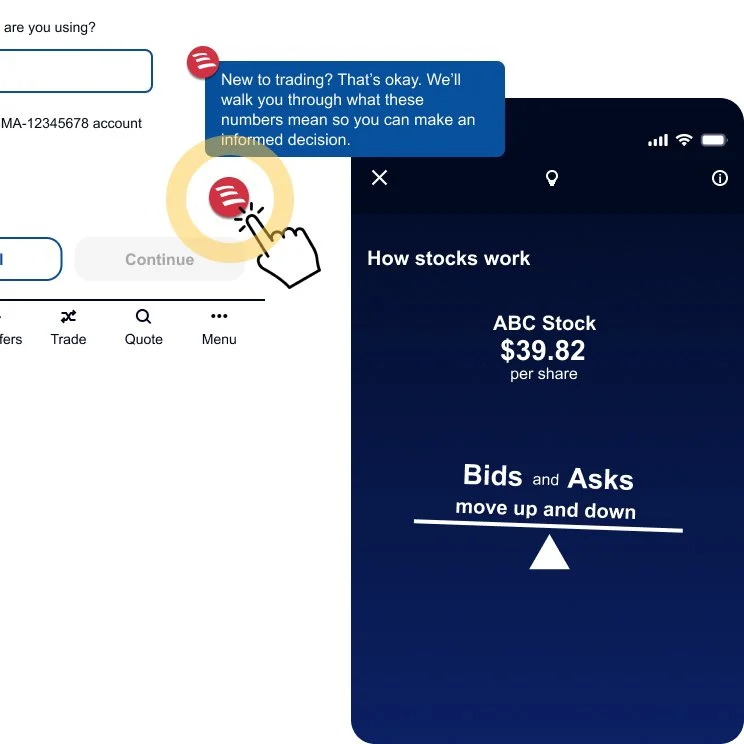
To support first-time traders, I added a contextual help indicator (?) near key numerical data points.

Tapping it launches Erica, providing immediate, in-context guidance without interrupting the trade flow. Erica delivers a supportive message that explains the numbers clearly and reassures the user before they proceed.

This approach:

  • Reduces cognitive overload at a critical moment

  • Builds trust through guided education

  • Preserves workflow continuity

  • Reinforces confidence during a first trade

Because first impressions matter, the experience prioritizes clarity, reassurance, and informed decision-making.

Explore the full interaction—including supporting micro-animations


Task 2 - Buying by Amount vs. Shares

Challenge

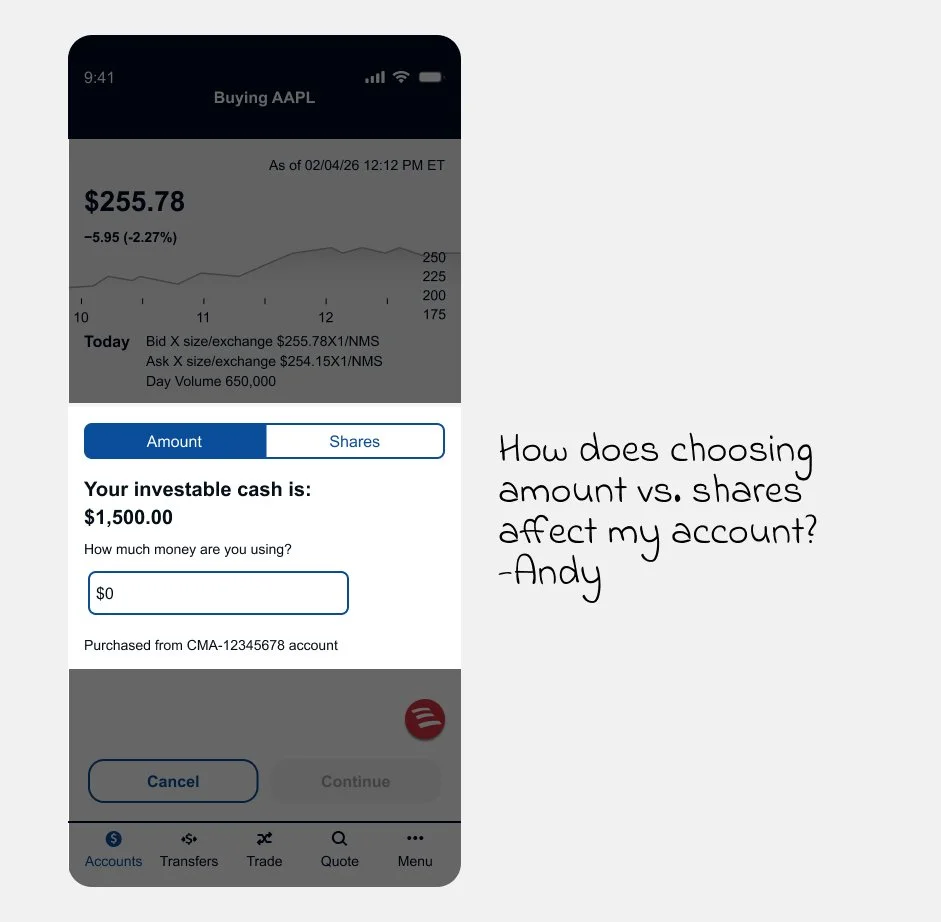
Users can buy by dollar amount or number of shares—but would a novice like Andy understand the difference?

The UI currently uses a segmented toggle (“Amount” / “Shares”) tied to a separate input field. While functionally clear, it adds visual weight and introduces friction in an already sensitive moment.

How might we simplify the interface and clarify the difference—while making the experience more intuitive for first-time traders?

Solution 1 of 2:
Slide-Up Calculation Tool

I introduced a real-time slide-up calculator that makes the relationship between total investment, estimated shares, and current price immediately clear.

The interactive slider provides instant feedback and improves transparency—helping novices understand what changes when switching between amount and shares. However, testing feedback showed the modal-style interaction felt disruptive to the trade flow.

Explore the interaction (including the interactive slider)

Solution 2 of 2:
Embedded Slider Within the Calculator

To preserve momentum, I integrated the real-time slider directly into the calculator section of the trade form.

This maintained transparency while making the interaction feel native to the UI. Users can adjust inputs and instantly see the breakdown—without leaving the purchase moment.

The result: a cleaner, more intuitive experience that supports understanding without interrupting execution.

Explore the interaction (including the embedded slider)


Test Results

We conducted usability testing across participants with advanced, limited, and no investment experience.

Feedback on the help features:

  • Users responded positively to on-demand guidance

  • Contextual explanations increased clarity

  • Participants noted that the support “instilled trust” in the experience

The optional assistance modal proved effective—supporting novice users without disrupting experienced traders.

Conclusion

Based on testing insights, we refined the interaction patterns and visual treatments to improve clarity and alignment.

Final designs were then prepared for developer handoff, including updated flows, interaction specifications, and refined UI components to support implementation.